
PODCAST OUTREACH FOR PR TEAMS
The podcast database for getting clients booked.
Find high-fit shows and pitch the people handling guests.
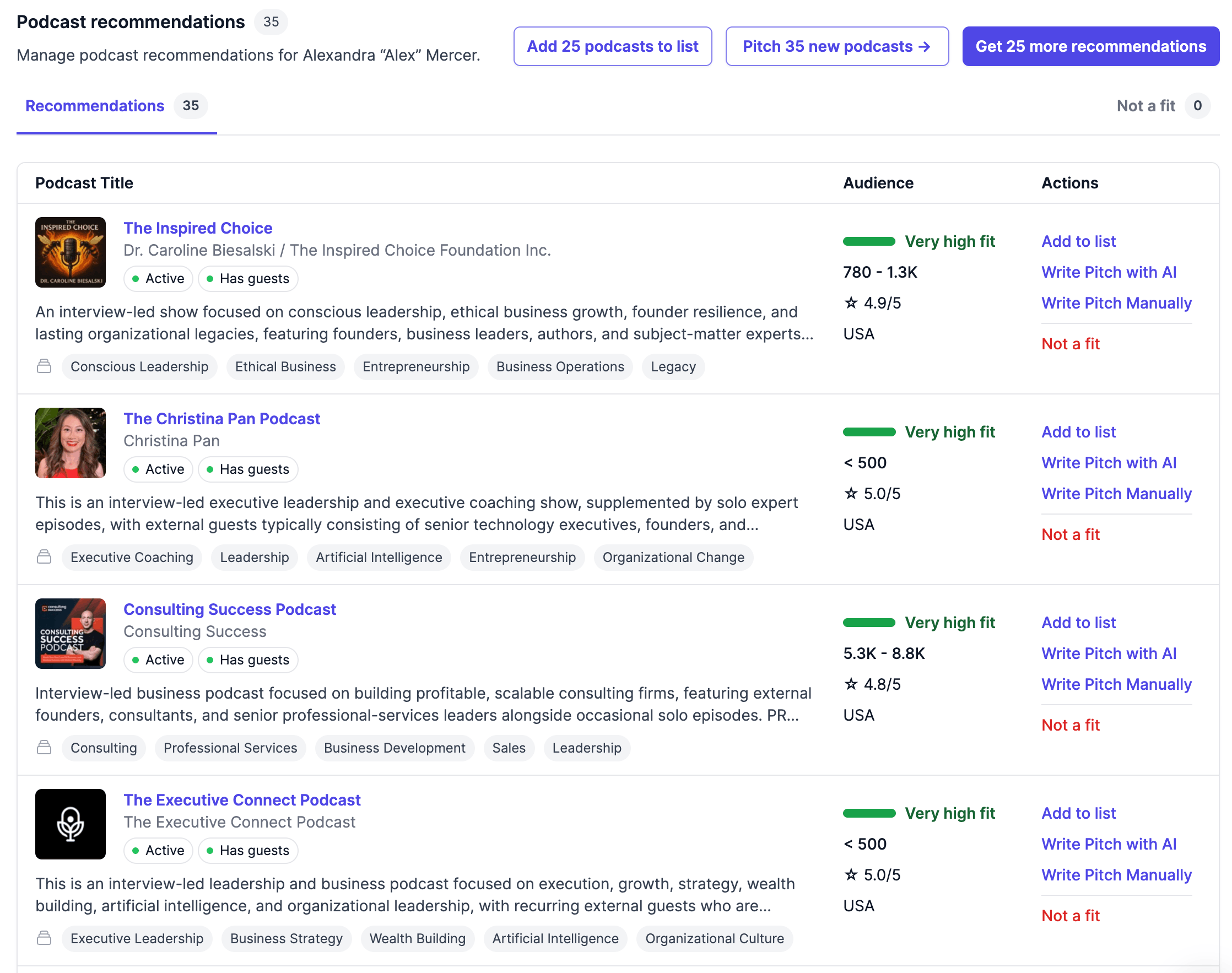
Get high-fit recommendations for each client
Verified host and producer emails
Pitch from your mailbox and track campaigns
Trusted by PR teams















REAL OUTREACH RESULTS
Pitches to high-fit podcasts book at 6.2%.
6.2% high-fit booking rate
At 85%+ Client Fit
3.3% overall booking rate
Based on 5,012 pitches
8 bookings/month (median)
At 4 campaign months; 200+ pitches/month
Observed results from paying customers, Feb–Jun 2026, not guarantees. Read our methodology →
“

Helped our clients land high quality podcast placements fast
HOW IT WORKS
From client profile to high-fit pitches.
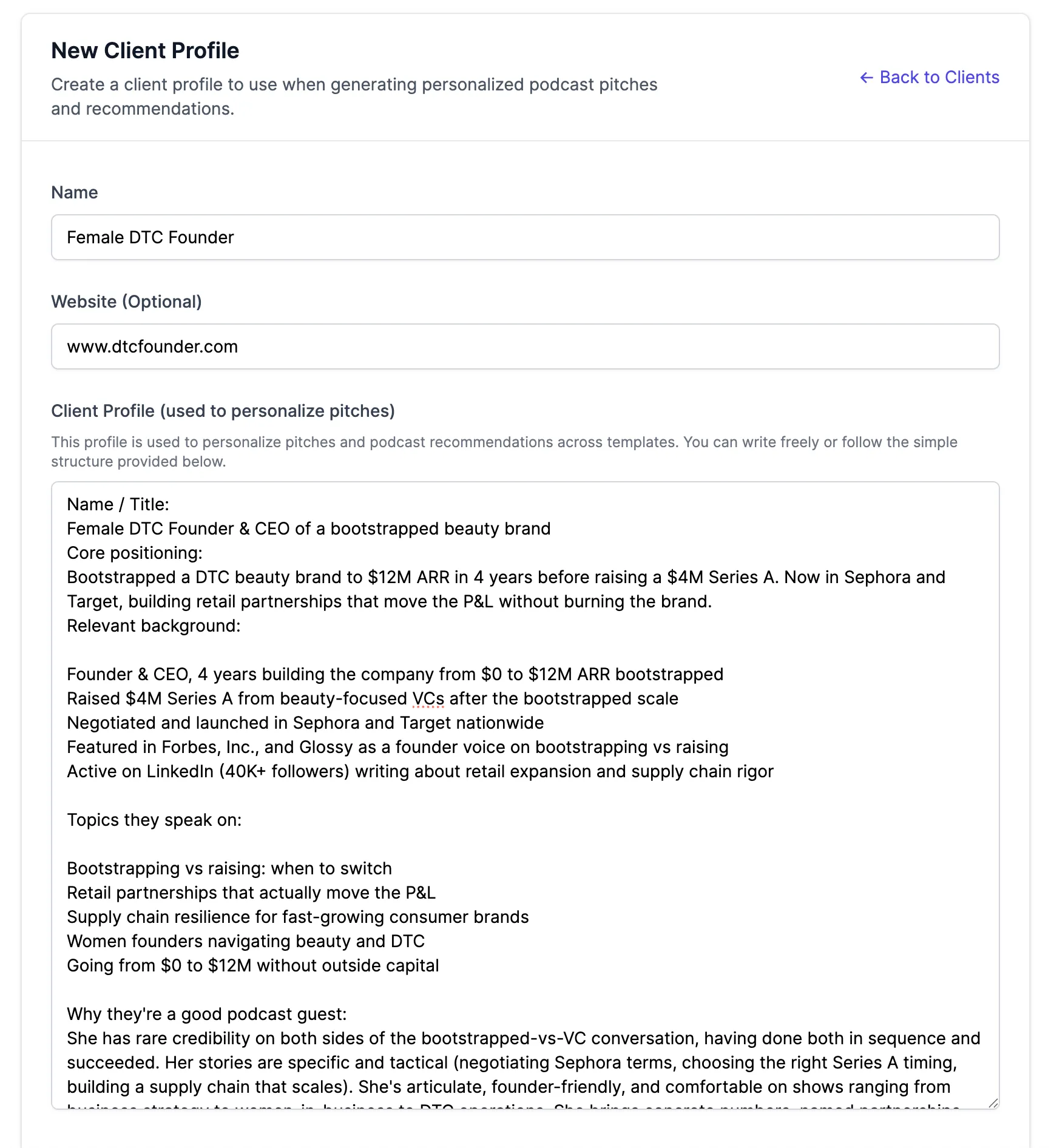
1. Add your client
Add their bio, expertise, and topics.
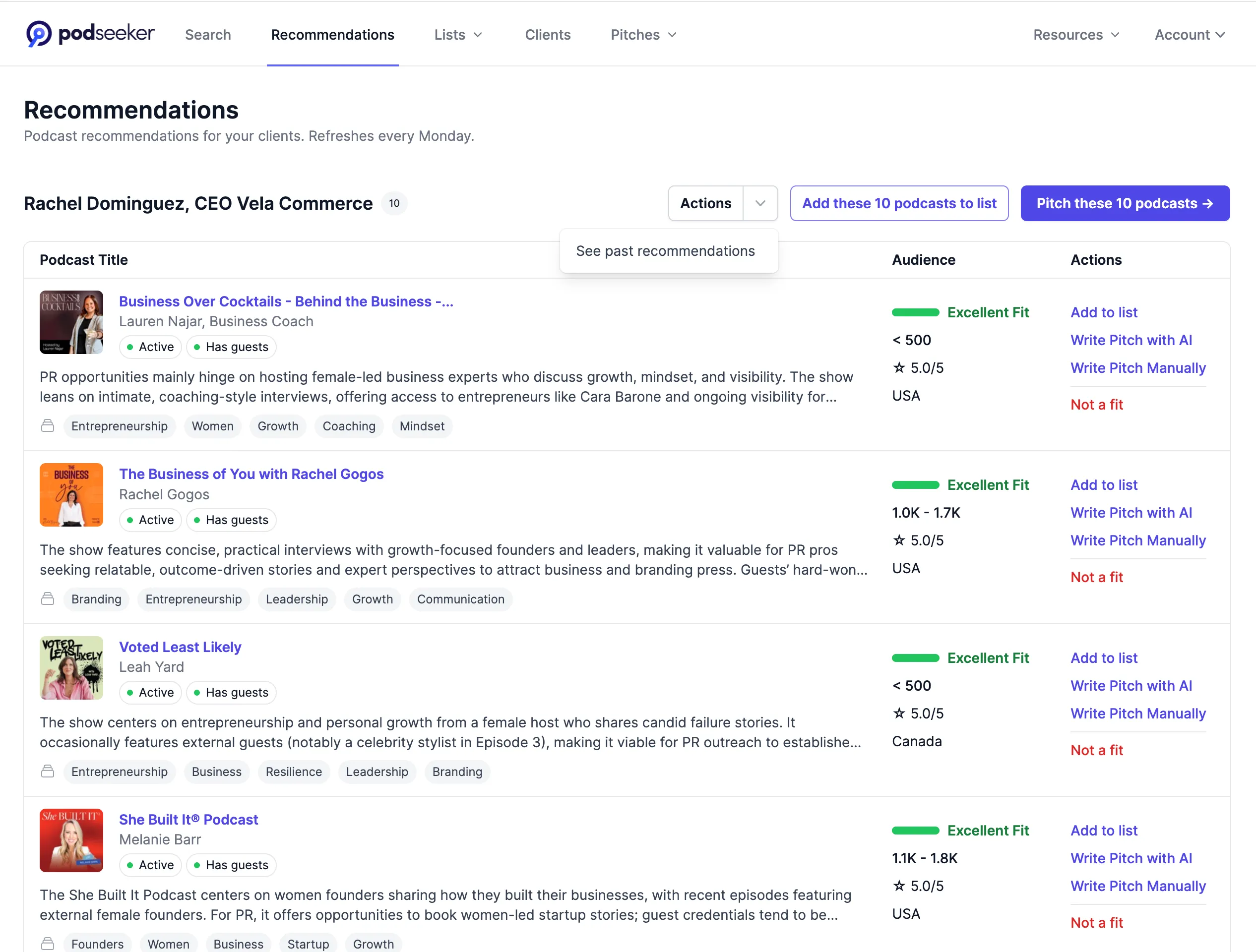
2. Get high-fit recommendations
Review the matches and pitch the strongest ones.
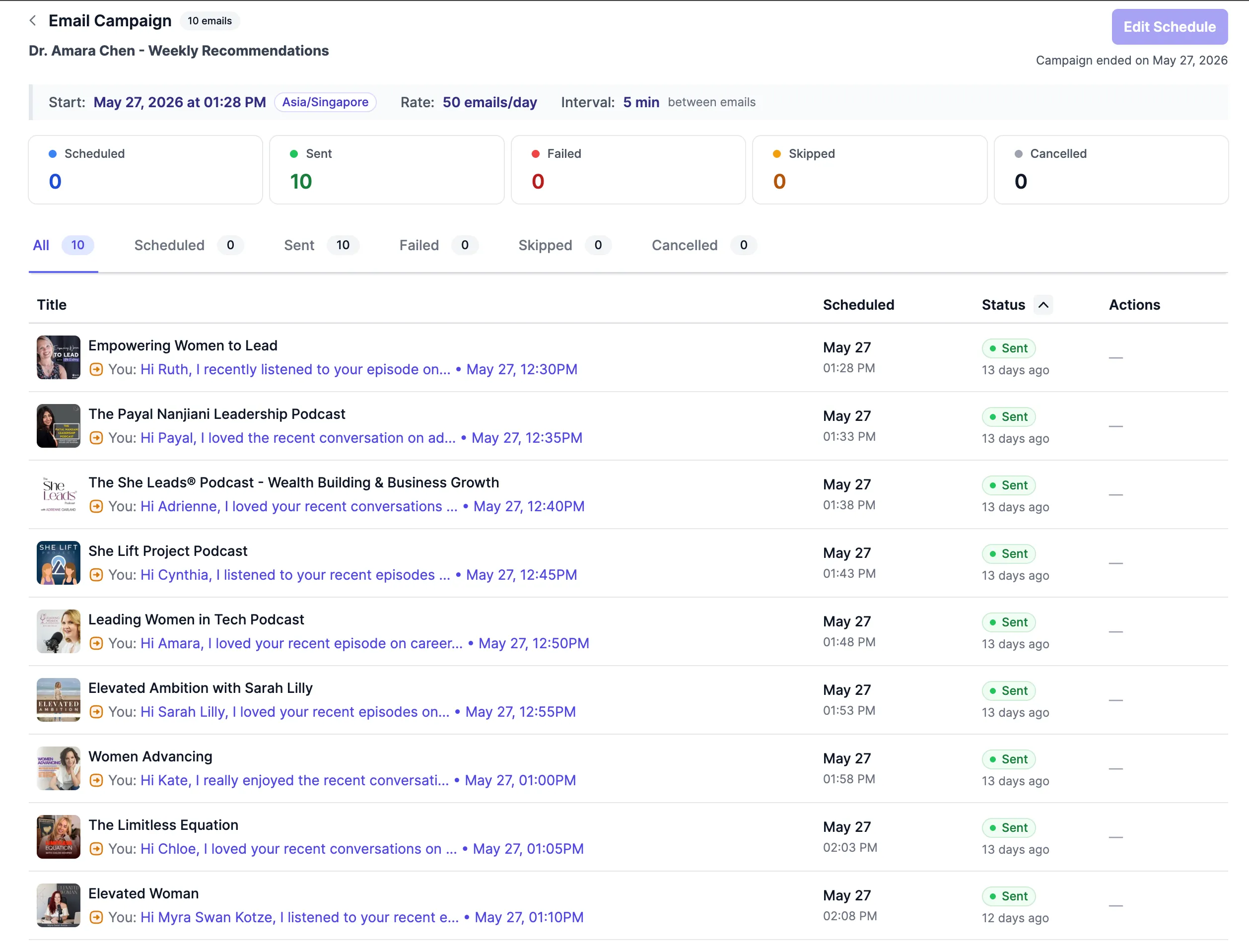
3. Run the campaign
Track opens, replies, follow-ups, and bookings.
OLD WAY VS PODSEEKER
Start with the client to get bookings faster
Old Way
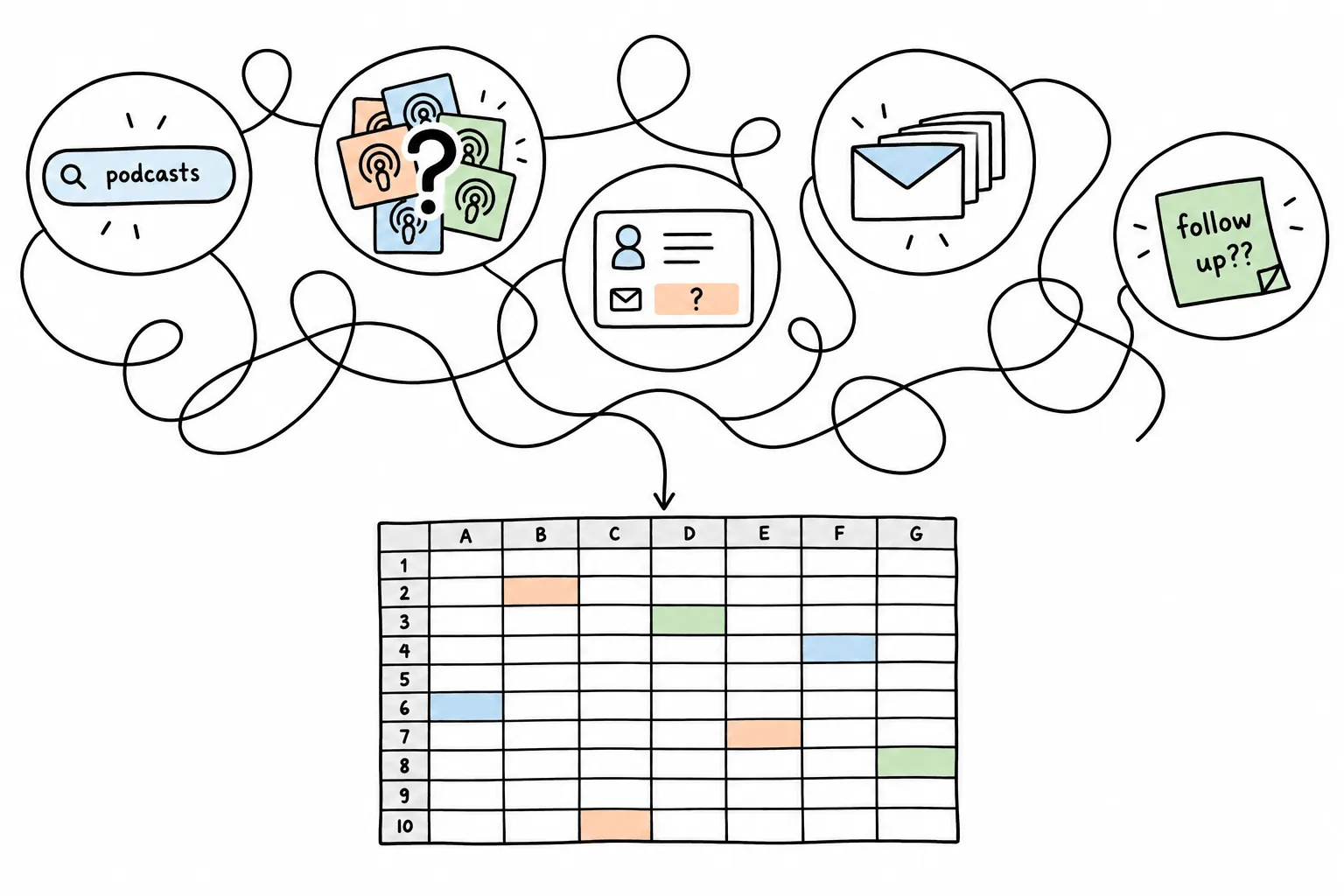
Search for podcasts
Decide show's fit
Find the contact person
Rewrite and copy each pitch
Send pitches one by one
Chase follow-ups from memory
Track outreach in spreadsheets
Podseeker Way
Create client profile
Get high-fit recommendations
Verified booking contact
Personalized drafts for each show
Schedule the campaign
Automatic follow-ups, replies tracked
One workspace
Features
The all-in-one podcast pitching platform for PR teams.
Recommended Podcasts
Podcast database and search
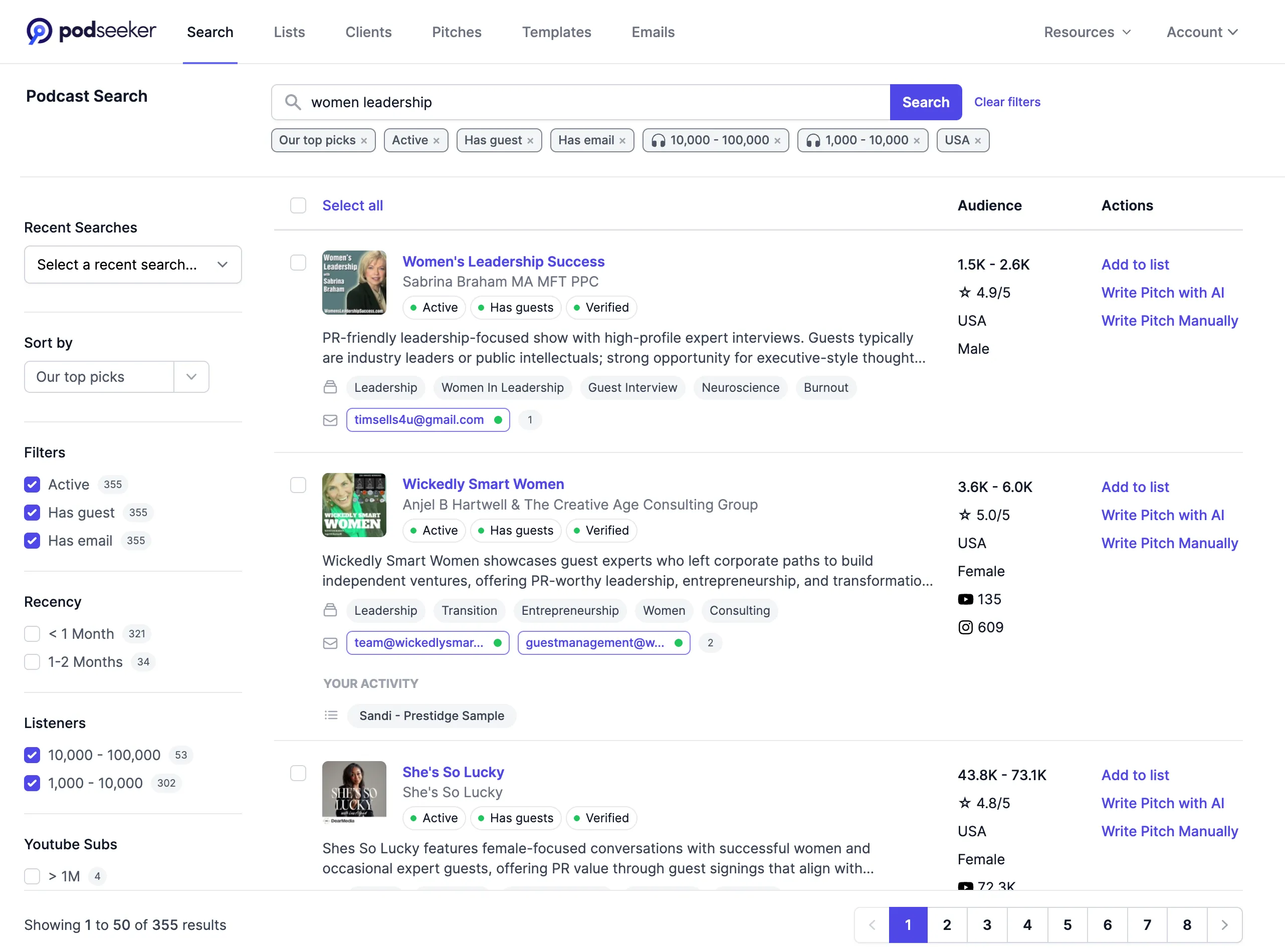
Find active shows that feature guests and fit your client’s expertise.
• Search by topic or keyword
• Filter by listener estimates
• Direct host and producer emails
• Guest history and booking intelligence
• Search by topic or keyword
• Filter by listener estimates
• Direct host and producer emails
• Guest history and booking intelligence
Recommended Podcasts
Client recommendations
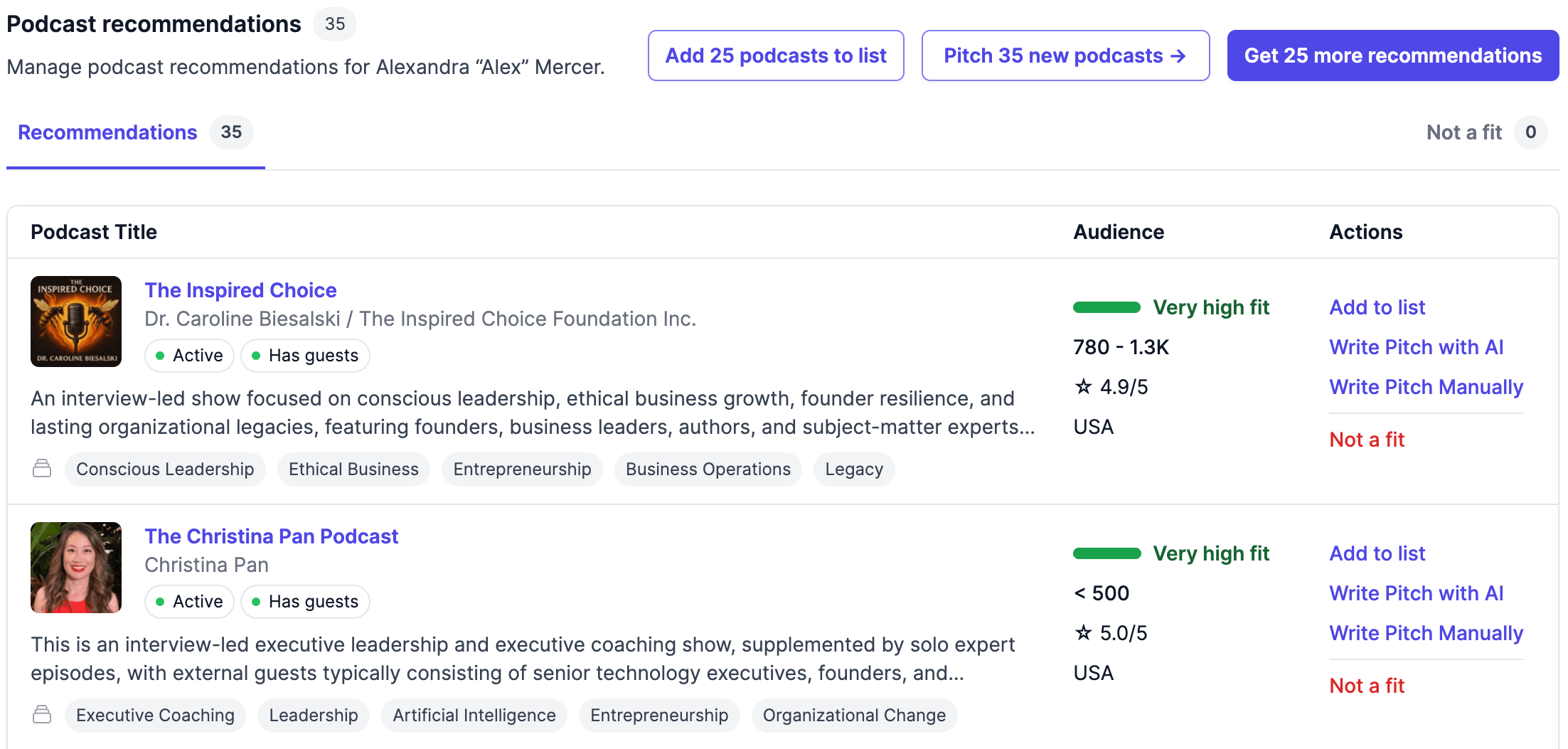
Start with high-fit podcasts matched to each client’s profile.
• Matched to the client’s expertise
• Ranked by Client Fit
• Active shows the client hasn’t already pitched
• Matched to the client’s expertise
• Ranked by Client Fit
• Active shows the client hasn’t already pitched
Recommended Podcasts
Personalized pitches
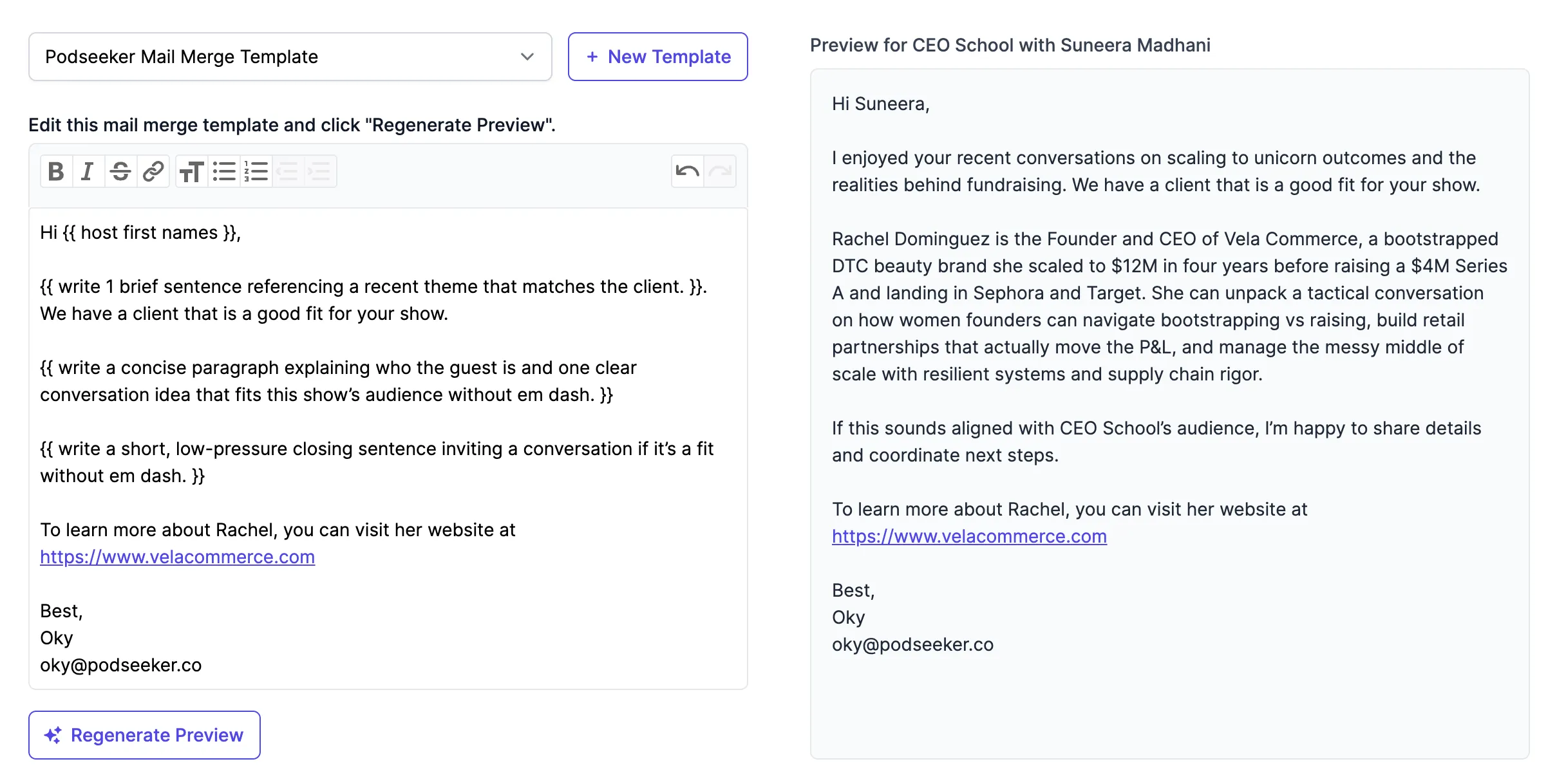
Draft a pitch for each client-show match.
• Draws on the client’s profile and podcast context
• Optional AI assistance or mail merge templates
• Nothing sends until you review and approve it
• Draws on the client’s profile and podcast context
• Optional AI assistance or mail merge templates
• Nothing sends until you review and approve it
Recommended Podcasts
Campaigns
Keep every client’s outreach together.
• Send from your mailbox, including Gmail and Outlook
• Schedule follow-ups that stop after a reply
• Track opens, replies, and bookings
• Send from your mailbox, including Gmail and Outlook
• Schedule follow-ups that stop after a reply
• Track opens, replies, and bookings
PRICING
Start your next client campaign for $99/month.
All in one
High-fit outreach
$99 /month
3 seats included
What's included:
- 3 seats for team collaboration in a shared workspace
- Unlimited campaigns to track pitches, opens, and replies in one place
- 200 high-fit podcast recommendations a month for your client campaigns
- Unlimited follow-ups that stop automatically when a host replies
- 400 personalized pitches a month, drafted with GPT-5.6 Sol using client and podcast info
- Unlimited Fit Scores to prioritize the right podcasts
- 400 contact enrichments a month to request additional host and producer emails
- Unlimited topic searches with 200+ filters to find podcasts in every client’s niche
- 5,000 podcast CSV exports a month (Not available during trial)
- Unlimited podcast database with booking intelligence to find the right fit for every client
- 100 concierge contact lookups a month by our data team when no email is available
- Unlimited podcast contacts with host and producer emails when available
10+ seats or custom needs? Contact us now! For API, click here.
FREQUENTLY ASKED QUESTIONS
Questions PR teams ask before starting.
How is Podseeker different from other podcast databases?
Most podcast databases start with a blank search box. Podseeker starts with your client. Add their expertise and speaking topics, and Podseeker recommends active, unpitched shows with the strongest Client Fit first. Your team can still search the full database whenever it wants more control.
Does Podseeker provide direct host and producer emails?
Yes, when available. Podseeker researches beyond RSS and generic inboxes to find people involved in hosting, producing, and booking guests. Available emails are checked for deliverability. When a direct email is missing, Contact enrichment searches additional sources and Concierge contact lookup can research the remaining gap.
No database can guarantee a named direct email for every podcast, so Podseeker may also provide useful contact forms, phone numbers, websites, and social profiles. How we find podcast contacts →
No database can guarantee a named direct email for every podcast, so Podseeker may also provide useful contact forms, phone numbers, websites, and social profiles. How we find podcast contacts →
How does Podseeker match podcasts to my client?
Create a client profile with their bio, expertise, and speaking topics. Podseeker uses that context to recommend active shows that interview guests and that the client hasn’t pitched, ranked by Client Fit, with an explanation of why each podcast may be relevant.
Will AI send pitches automatically?
No. AI can help draft and personalize a pitch, but your team chooses the podcast and recipient, reviews the message, and decides when it sends. Nothing sends without your approval.
Can I send from my own mailbox?
Yes. Connect Gmail, Outlook, or another mailbox through SMTP. Pitches send from your address, replies arrive in your mailbox, and Podseeker tracks the conversation.
Podseeker is CASA-certified for its Google integration and independently reassessed each year. More details →
Podseeker is CASA-certified for its Google integration and independently reassessed each year. More details →
How do follow-ups work?
Schedule follow-ups in the same email thread. They stop automatically when Podseeker detects a human reply, preventing an awkward follow-up after someone has responded. Follow-ups are unlimited and do not count toward the 400 initial-pitch allowance.
Can my team manage multiple clients?
Yes. Create a separate profile for each client and keep their recommendations, media lists, templates, pitches, notes, replies, and follow-ups together. Podseeker includes three team seats.
How does the free trial work?
The three-day trial lets you explore the database, create client profiles, review recommendations, build media lists, generate pitch drafts, and test the campaign workflow. A card is required, but you can cancel before the trial ends without being charged. CSV exports become available when the paid subscription begins.
Get clients booked on high-fit podcasts
Get high-fit podcast recommendations and pitch to the right people.
3 days free, then $99/month · Cancel anytime